
Getting started with the Trybes Customer Portal
The First Steps
The customer portal is available at https://mijn.trybes.nl. Beforehand, your email address must be added by a staff member. Submit a request through an existing account or via support@trybes.nl.
Once your email address has been added, you will receive an invitation by email. After the account configuration has been completed, you can create a ticket through the customer portal or by sending an email to support@trybes.nl from your added email address. That email will then automatically create a ticket. This allows you to choose whether you want to communicate by email or through the customer portal.
The Different Ticket Types
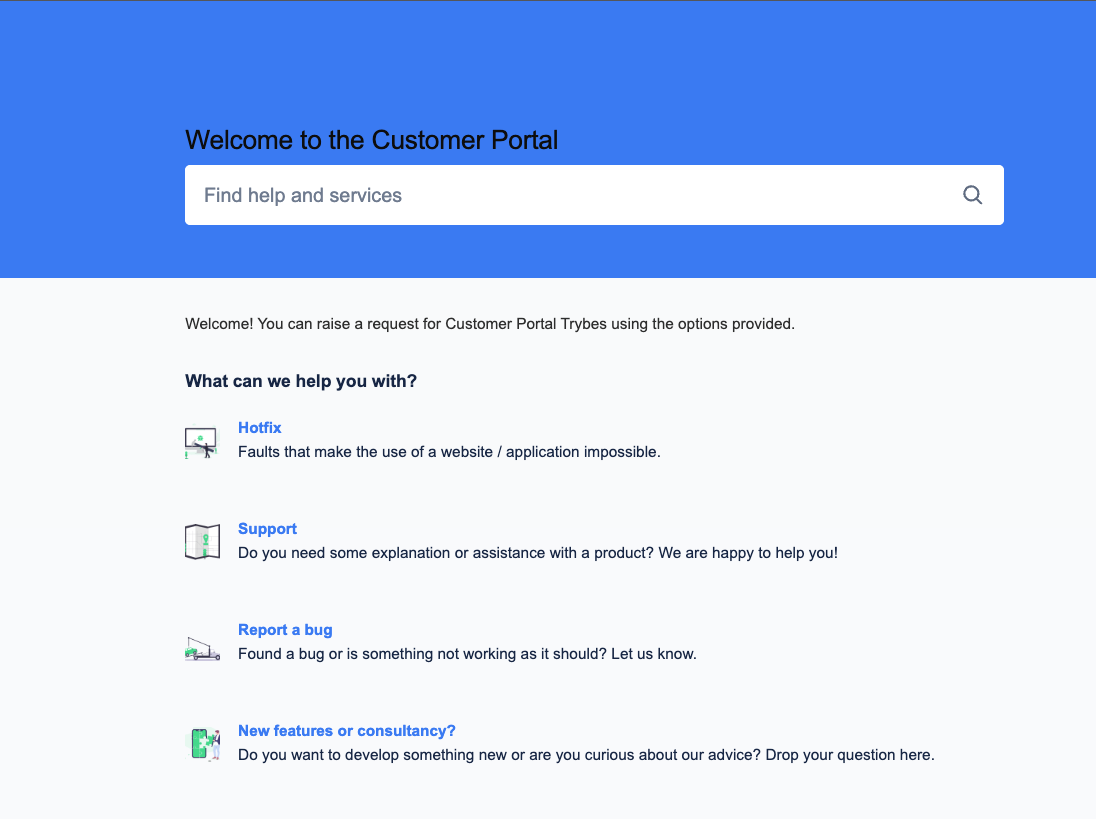
There are 4 different ticket types: Hotfix, Support, Bug, and New Features.
Hotfix
This ticket type is intended for urgent issues that cause the core functionality of your product to stop working. For example, the website may be offline or visitors may no longer be able to make payments. When you create a hotfix, the entire development team will receive a notification, so we assume it concerns an urgent issue of a serious nature. There is no need to call in addition to creating a hotfix ticket. We are informed immediately.
Support
This ticket type is intended for general questions, requests for support, or small tasks. For example, you may want an explanation of the forms or to change the font on your website. Although a quick solution is appreciated by everyone, this is not an emergency.
Bug
This ticket type is intended for reporting issues that can only be explained by your product and not by the user. For example, you may no longer be able to upload photos or properly configured redirects may no longer work. Although a quick solution is appreciated by everyone, this is not an emergency.
New Features
This ticket type is intended for requesting new functionality. This applies to both large and small requests. For example, you may want new blocks to be developed or a separate subdomain for a campaign. In principle, anything that differs from the originally agreed functionality falls under this ticket type. Although a quick solution is appreciated by everyone, this is not an emergency.
Ticket Types and Your Service License Agreement (SLA)
Hotfix
We will first get to work to ensure that everything functions properly again. Restoring functionality and resolving the issue quickly take priority. Once the problem has been resolved and the cause is known, it will be determined whether the hours spent will be charged to the SLA or borne by TRYBES.
Support
This ticket type often concerns a request for support or small tasks. The hours spent will be charged to the SLA. An assessment is always made as to whether the selected ticket type matches the situation.
Bug
This ticket type often concerns a problem whose cause lies with the product and not with the user. The hours spent will not be charged to the SLA and will be borne by TRYBES. An assessment is always made as to whether the selected ticket type matches the situation.
New Features
This ticket type concerns new functionality, and a cost estimate will be made based on your requirements. You will receive a quotation with a clearly defined scope of work, and the hours will not be charged to the SLA. An invoice will follow once the agreed work has been completed.